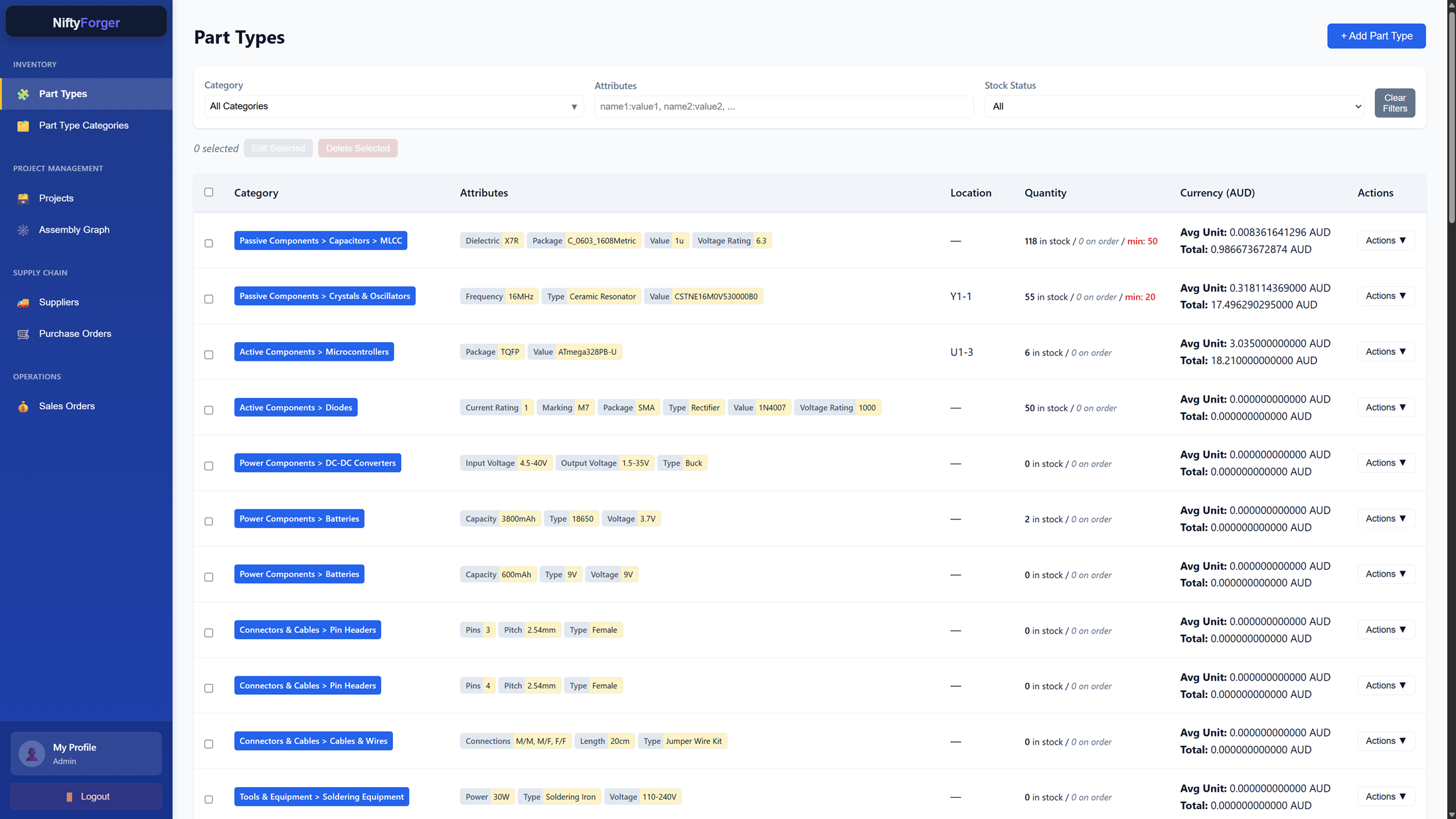
Keep track of your parts.
Know what you can build.

NiftyForger helps you organise inventory, manage stock, track purchases and sales, and keep assemblies connected to the parts they require. Describe your stock to Lily, the built-in assistant, or send her a photo or a PDF such as an invoice or packing slip, and she drafts it for you to review.

Built for hobbyists, workshops, and small manufacturers. Start on the free plan and see our pricing when you need more room.

Lily, your assistant

Say what's on the shelf, or snap it. Lily writes it up.

Moving off a spreadsheet, or starting from a box of parts? Tell Lily what you have in plain words, like "add the E24 resistors from 1k to 910k", and she drafts the categories, parts and stock in one go.

Or take a photo: of a part, its label or barcode, a tray of parts, or a supplier's packing slip. Got the invoice, packing slip or datasheet as a PDF? Send her that instead. Lily reads what's printed on it, matches it to the parts you already have, and drafts the stock or the order for you to check. She asks when she isn't sure, and neither the photo nor the PDF is kept.

She can also raise purchase and sales orders, adjust stock and answer questions about your inventory. Nothing changes until you've looked over her plan in a table and applied it.

Every plan includes assistant requests. See how many.
Overview

See how the workshop is doing, not just what's on the shelf.

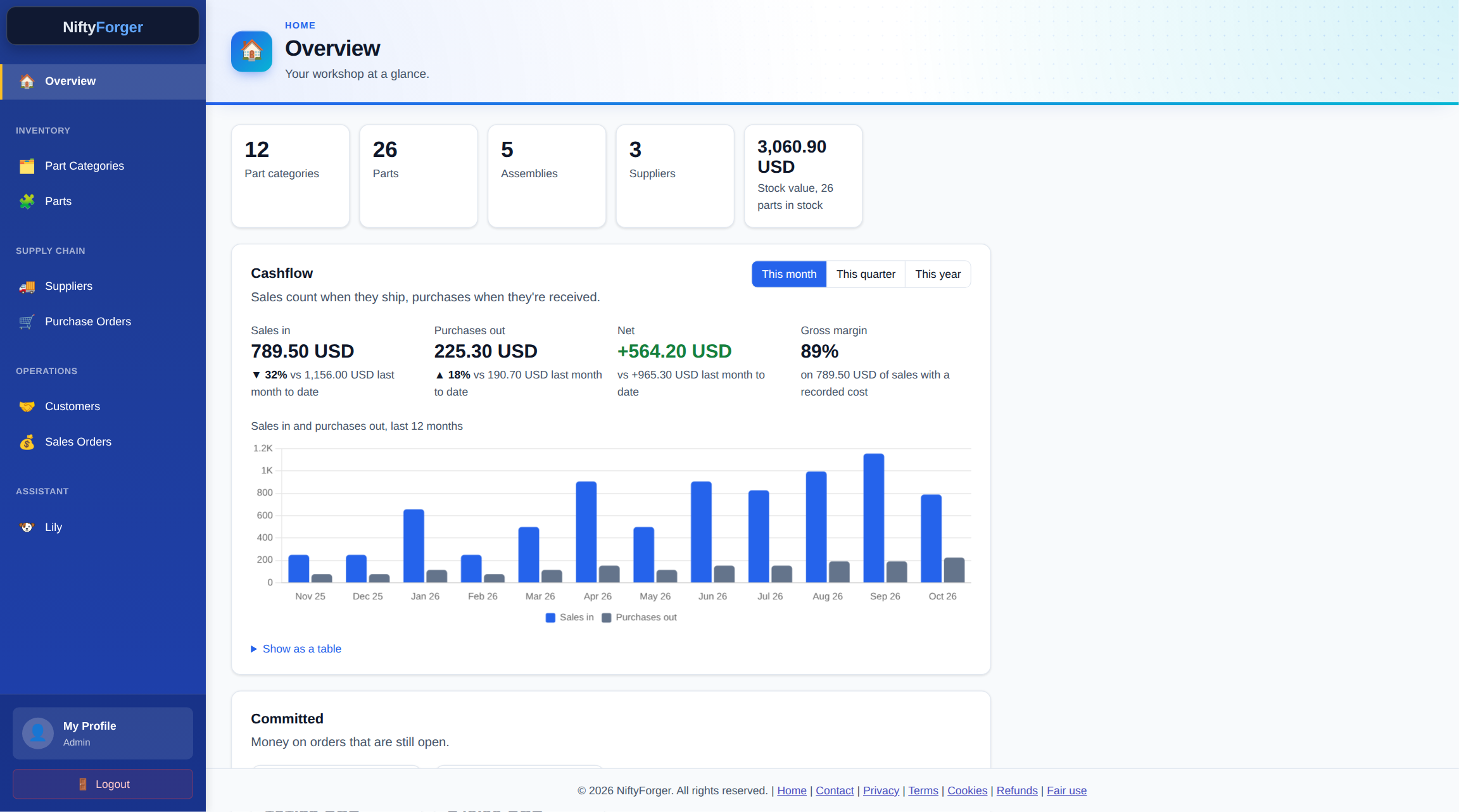
The Overview adds up your purchase and sales orders: money in, money out, net and gross margin for the month, quarter or year, each against the one before, with a twelve-month cashflow chart.

Alongside it sit your stock value and the parts that have fallen below their minimum quantity, so you know what to reorder.

NiftyForger Overview with sales in, purchases out, net and gross margin, a twelve-month cashflow chart, stock value and low stock

Why I built NiftyForger

I built NiftyForger because I wanted to organise my own inventory and answer a simple question: do I have enough parts to build this? It is a practical system for keeping parts, stock, and assemblies clear without adding unnecessary complexity to your workflow.

Keep parts organised by category and attributes, then find them quickly when you need them. Define assemblies from parts and other assemblies to check availability before you start building.

A part is what its attributes say it is. There is no name or SKU field, by design: an "M3x12 cap head, black" is a Screws part with thread M3, length 12 mm, head cap and finish black. Two entries for the same part can't exist side by side, and every attribute is something you can filter on.

When you buy or sell, supplier records and purchase orders help you track incoming stock, while sales orders keep fulfilment visible. Invite teammates with role-based access so everyone can work from the same information.

Everything in one place

📦

Inventory Tracking

Keep parts and assemblies in one place, with quantities, categories, and attributes that make them easy to find.

🛒

Purchase Orders

Keep supplier details and purchase orders together, then update stock as incoming items are received.

📋

Sales Orders

Record customer orders and follow their fulfilment status, so it is clear what still needs to ship.

🏭

Assemblies

Define what goes into an assembly and check whether the required parts are available before you build.

👥

Team Access

Invite teammates and give them the role-based access they need to work with shared inventory.

🔍

Smart Search

Find parts quickly by category or attributes, without digging through spreadsheets or scattered notes.

Questions

Can I bring my existing parts list?

Yes. Hand it to Lily, NiftyForger's built-in assistant: paste rows from your spreadsheet, attach it saved as a PDF, or take a photo of a printout. She drafts the categories, parts and stock, and nothing is saved until you've checked her plan and applied it. Her work counts towards your plan's assistant requests.

Can I get my data out?

Yes, at any time and on every plan. The workspace owner can download everything in the workspace as CSV files from their profile.

Can I delete my account?

Yes. The workspace owner can delete it from their profile. That cancels any paid plan and removes the account, its team members and all of the workspace's data straight away. Only the billing records the law requires are kept; the Privacy Policy has the details.

Where is my data kept?

In a database hosted by Fly.io in the United States. The Privacy Policy lists every service that handles your information, and where.

What happens when I reach a plan limit?

Nothing is lost, and everything you already have keeps working. You just can't add more of that thing until you upgrade or remove some. Purchase and sales order limits count the orders you create each month, and reset on the 1st (UTC).

Can I cancel?

Yes, whenever you like, from your profile. You keep your paid plan until the end of the period you've paid for, then move to Free with all of your data kept. See the Refund Policy for refunds.

How is my data kept safe?

Every connection is encrypted (HTTPS), passwords are stored only as one-way hashes, each workspace's data is kept apart from every other's, and repeated failed logins are locked out. Team members get only the access their role gives them.

Is there a phone app?

There's nothing to install. NiftyForger runs in your phone's browser, with tables laid out as cards on a small screen, and Lily can take a photo with your phone's camera.

Can't find your answer? Get in touch.

Ready to get organised?

Bring your parts, assemblies, and orders into one clear system.